
Peaks Subtract Widget#
This widget is a critical tool for “multi-phase indexing”. It allows you to remove peaks that have already been successfully assigned to a crystal phase (lattice) from your total pool of detected peaks.
By “cleaning” the peak list of the first phase, you significantly reduce noise and overlapping data, making it much easier to index subsequent phases (e.g., a minority phase or a second lattice) from the remaining signal.
Functionality#
Peak Filtering: Compares two sets of 3D peaks and removes the indexed ones from the source list.
Multi-Phase Support: Enables a sequential “peeling” workflow—index Phase A, subtract its peaks, then index Phase B using the remainder.
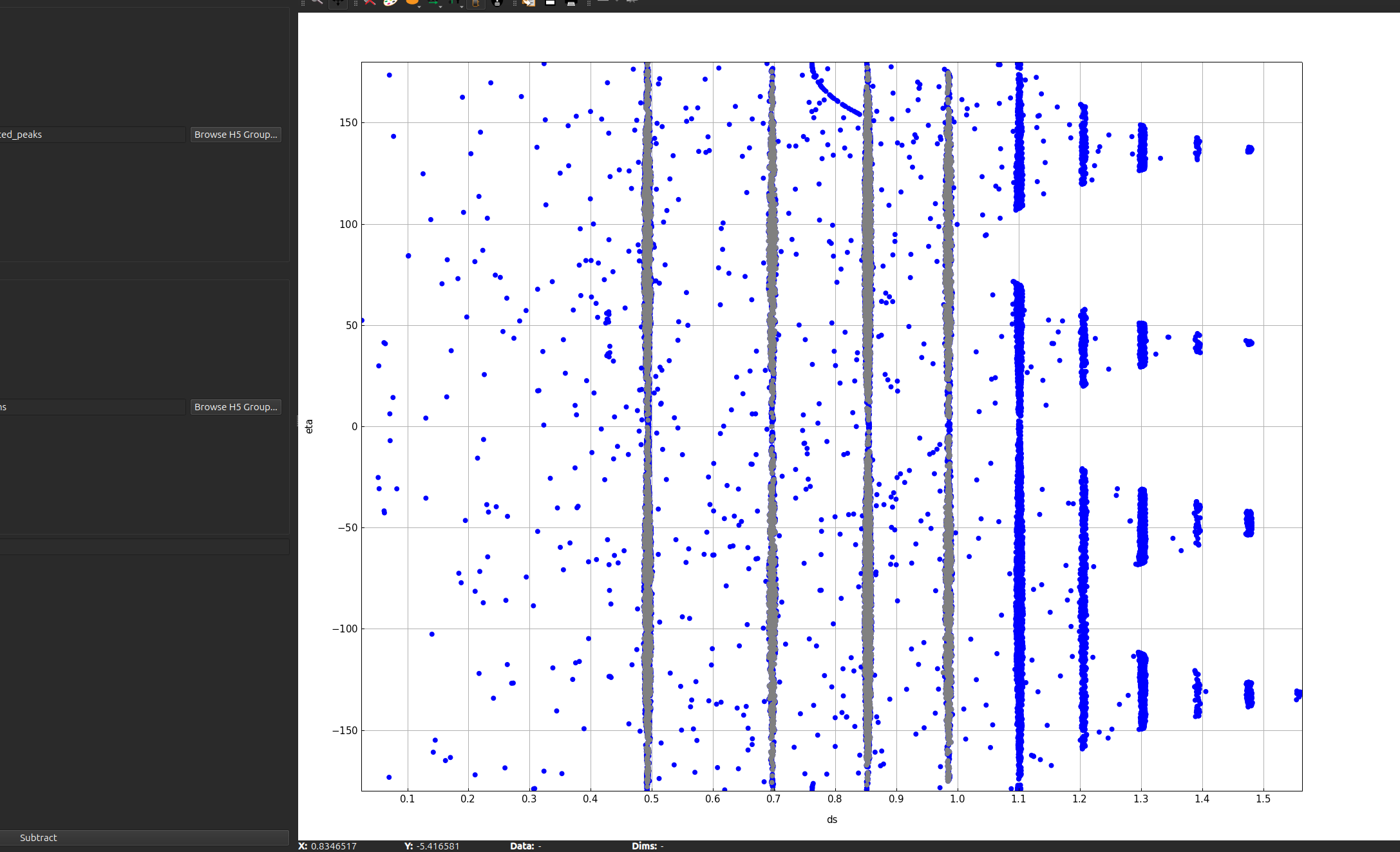
Visual Validation: Provides a 2D scatter plot in \((ds,\eta)\) space to verify which peaks are being kept and which are being removed.
User Interface#
The widget features a specialized plot that overlays different peak sets using a color-coded system:
Source Peaks (Blue): The original geometry-transformed peaks you intend to filter.
Subtraction Filter (Gray): The peaks that were successfully indexed in the previous refinement step.
Subtracted Result (Magenta): The remaining peaks that will be used for the next indexing stage.
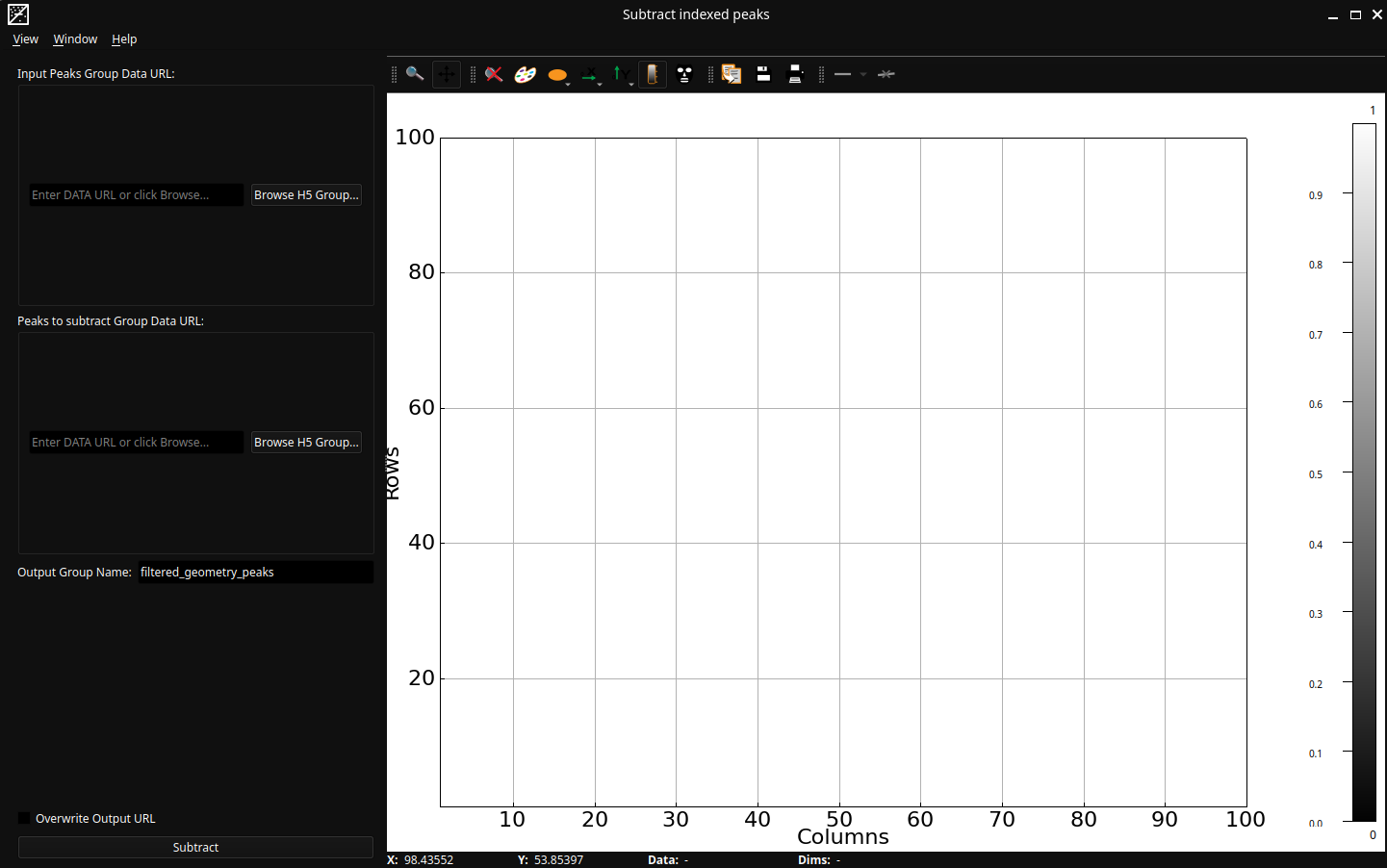
Control Panel#
Data URLs
Input Peaks Group Data URL: The path to the full set of geometry-transformed peaks (the “Source”).
Peaks to subtract Group Data URL: The path to the peaks that were assigned to the first lattice (the “Refined Peaks”).
Execution Control#
Output Group Name: The HDF5/Nexus path where the remaining “unindexed” peaks will be saved (defaults to filtered_geometry_peaks).
Overwrite: Replaces the data if the output group already exists.
Subtract: Executes the filter and updates the plot.