Data formats#
ewoks3dxrd works exclusively with HDF5 files, following the NeXus specification.
Input#
Input 3DXRD data must be stored in HDF5 files acquired by Bliss. More specifically, a ewoks3dxrd workflow processes the data contained in a single Bliss scan.
.par format#
The .par format is a format that can be optionally used to supply geometry parameters for the Geometry transformation step.
It is a simple text file where each line defines a key/value pair separated by a space. The filename must end with .par.
Example:
chi 0
distance 277938.9537523063
fit_tolerance 0.05
min_bin_prob 1e-05
...
.cif format#
The Crystallographic Information File format is a standard format used in crystallography. Many crystallographic databases provide lattice files under this format.
Warning
Ewoks3DXRD only supports CIF files where the space group is a number. If your CIF file include a non-number space group, please edit it to change the space group string to the equivalent number.
Also, note that Ewoks3DXRD will only read lattice parameters from CIF files (a, b, c, alpha, beta, gamma and space group).
Output#
ewoks3dxrd stores data in a specific folder, named the analysis folder, chosen in the first workflow task. In this folder, all results will be stored in a HDF5 file in a path that depends on the Bliss sample and dataset name.
More specifically, the file will be named <sample_name>_<dset_name>.h5 and be located in a folder named <sample_name> / <sample_name>_<dset_name>, mirroring the RAW_DATA structure.
Example
If the raw data file is named Al_first_rotation.h5, the output file will be at <analysis_folder>/Al/Al_first_rotation/Al_first_rotation.h5
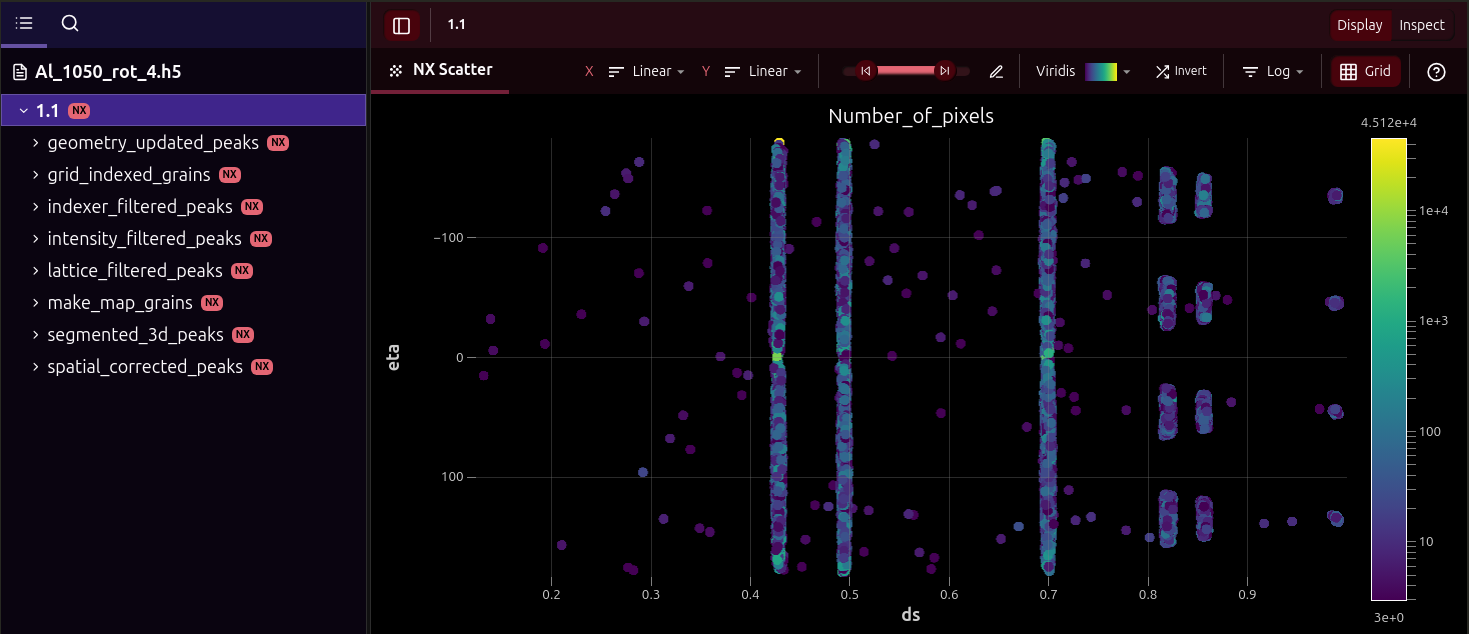
Each task of the workflow will save data in this file under its own NXprocess group under a NXentry named after the scan number (see example below).
Warning
ewoks3dxrd may also store additional .par files in the analysis folder such as geometry or lattice files. We advise to not modify or delete these files as it may interfere with ewoks3dxrd normal operation.