
Indexing Widget#
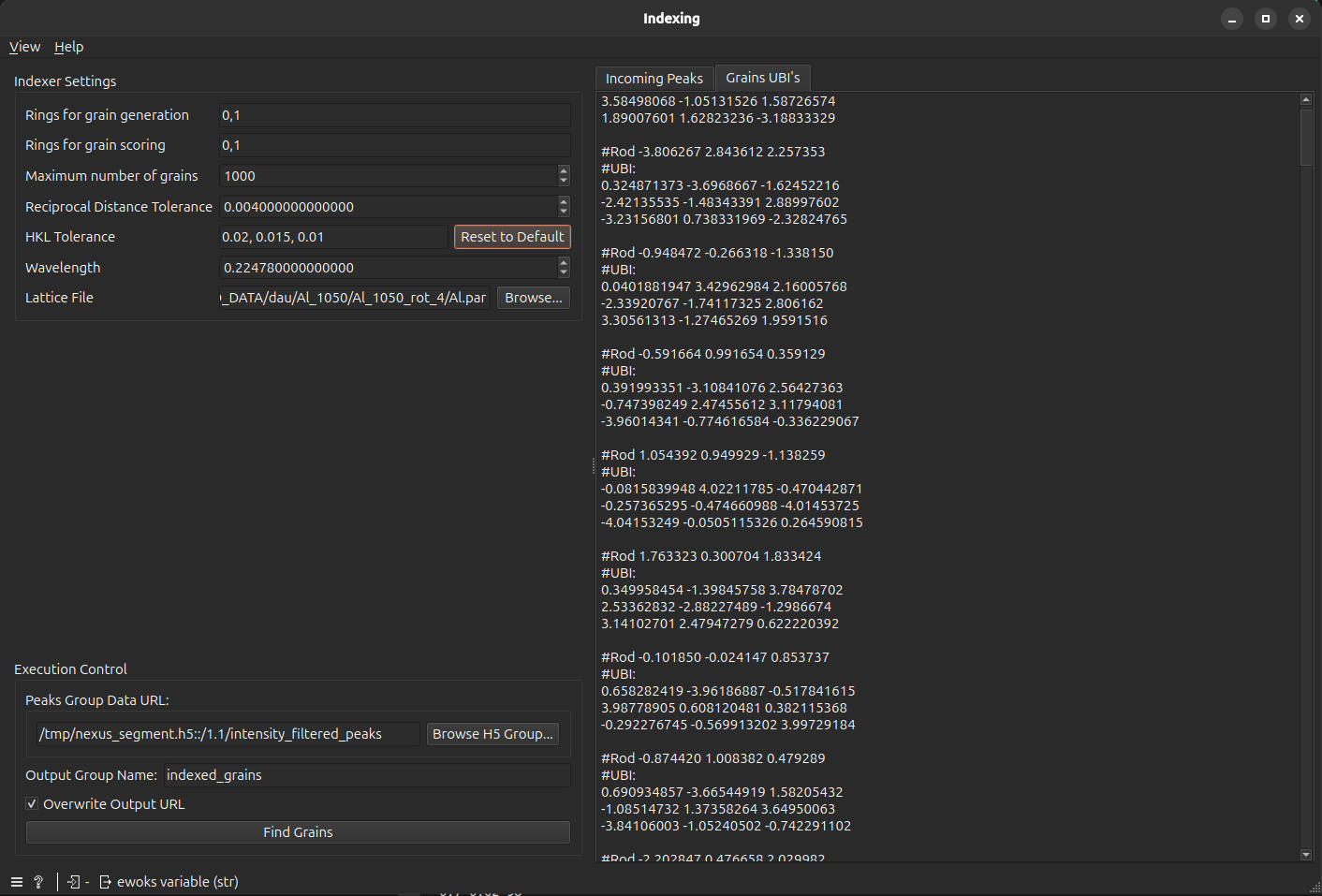
The Index Grains widget utilizes the ImageD11 indexing engine to find the orientation of individual grains within your sample. It processes the filtered 3D peaks to generate a list of \(UBI\) matrices, which represent the grain map in reciprocal space.
Functionality#
This widget allows you to:
Generate Grain: Search for crystal orientations that satisfy the diffraction geometry.
Score and Validate: Evaluate the quality of found grains based on how many theoretical peaks they “explain” (i.e. the peaks are considered as originating from the grain).
User Interface#
Control Panel#
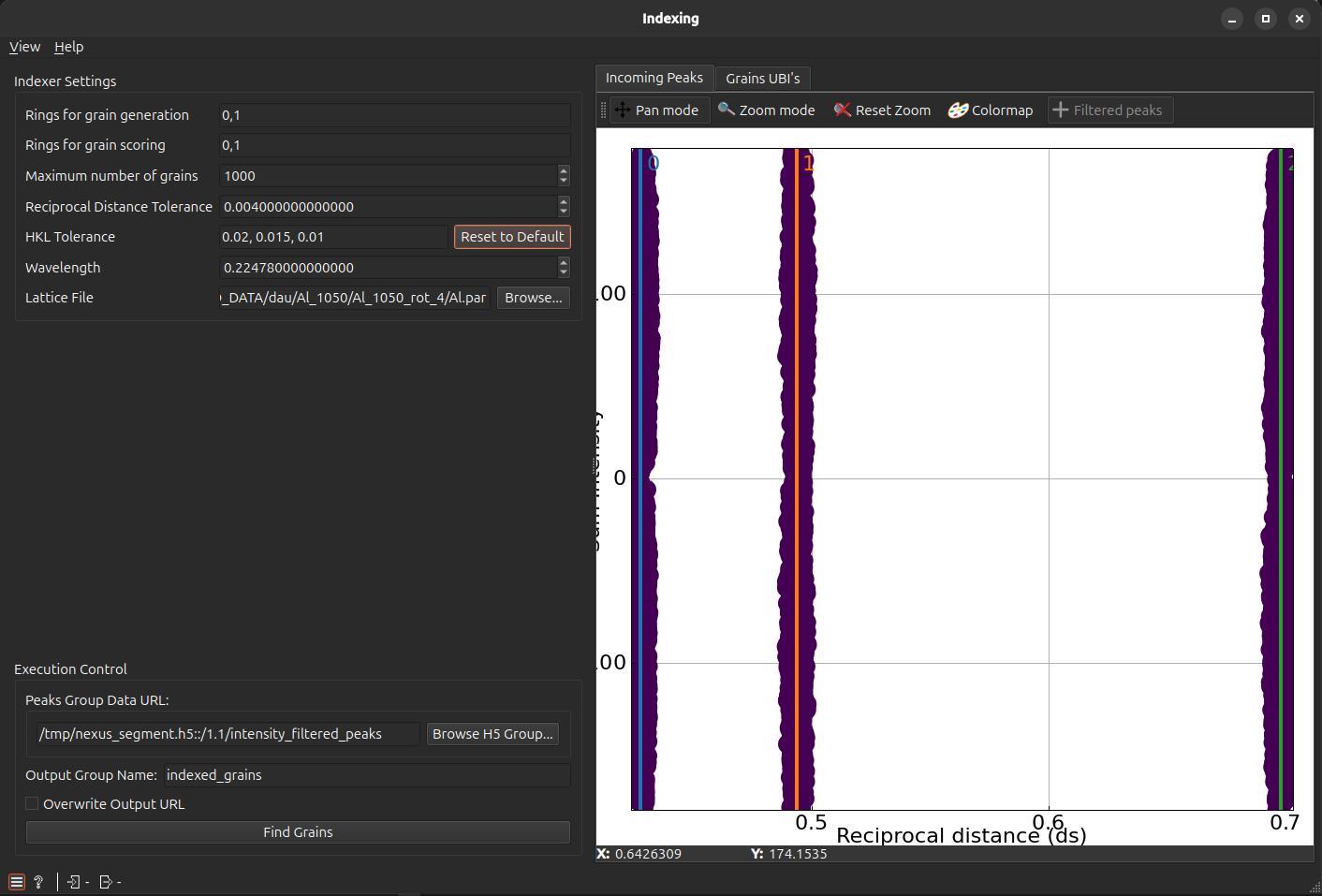
The left panel contains the configuration and execution logic.
Indexing Parameters#
These settings define the logic used to pair peaks and form orientations.
Attention
Note: The parameters visible in the GUI are a subset of the ImageD11 indexing scheme optimized for reliability.
Rings for grain generation: The specific rings used to generate potential grain orientations. At least two rings are required.
Scoring Rings: A (usually larger) set of rings used to validate the found orientations. Grains that don’t explain enough peaks in these rings are discarded.
Reciprocal Dist Tol (\(ds\) Tol): The maximum radial error allowed when assigning a peak to a specific grain.
HKL Tolerances: Miller indices tolerances (in decreasing order) used during the refinement of the orientation matrix (\(UBI\)).
Lattice File & Wavelength: Automatically forwarded from previous tasks to provide the physical scale for indexing.
Search Constraints#
Max Grains: An optional limit to stop the search after a specific number of grains are found (useful for high-speed testing).
Execution Control#
Process Group Name: The HDF5/Nexus path for the generated UBI matrices (defaults to
indexed_grains).Tip
Note: For multiphase samples, use unique names like grains_phase_A and grains_phase_B.
Index Grains: Will find the grains (i.e list of \(UBI\) matrices)
Example Usage#
Connect the widget to the output of an Index Filter (or Intensity Filter) or provide the respective HDF5/Nexus data group path.
Verify that Indexing Rings includes at least two strong, non-overlapping rings (e.g., \((0, 1)\)).
Set Scoring Rings to include all visible rings in your data (e.g., \((0, 1, 2, 3, 4)\)).
Click Find Grains and monitor the output to see the list of identified crystal orientations