

ImageD11 Grain Map Widget#
The output file can then be parsed by Crispy for example.
Functionality#
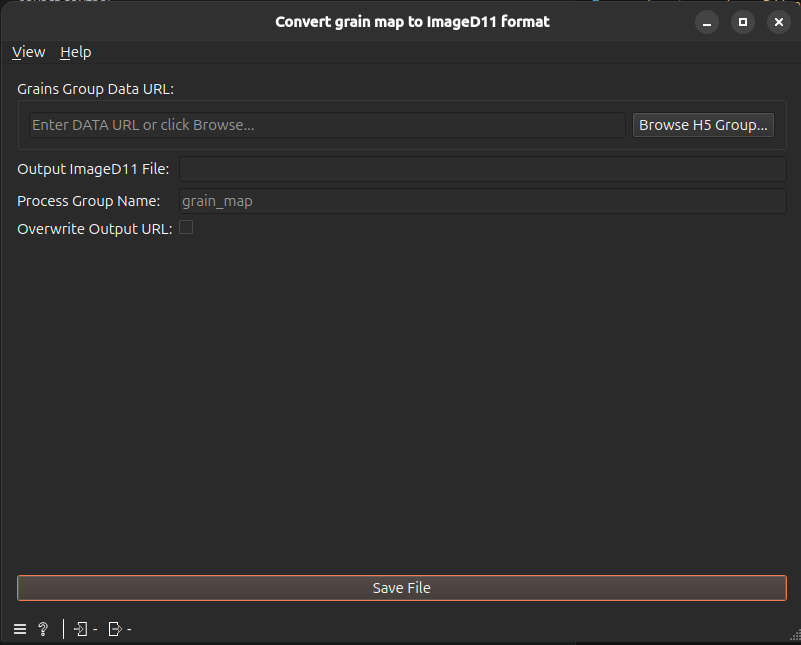
This widget allows you to:
Select an input HDF5 data group containing the processed grain map.
Define the output file and the HDF5 process group name in which the data will be exported.
User Interface#
Example Usage#
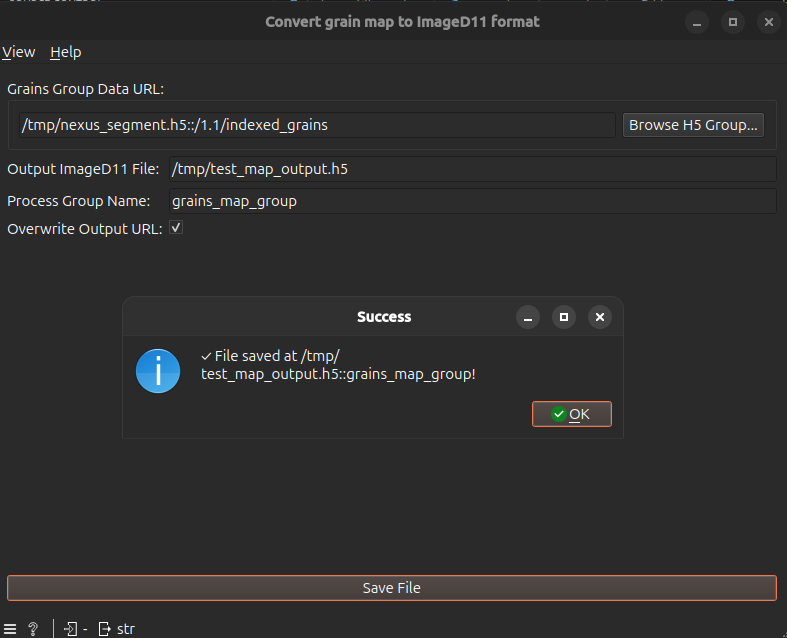
Connect the widget to a preceding node generating grain data (Grid Indexing or Refine Grain Mapping), or use the Browse H5 Group… button to manually select the HDF5 URL containing your grain data group.
Specify the target file in the Output ImageD11 File field.
Provide a clear identifier in the Process Group Name field.
Check the Overwrite Output URL box if you wish to overwrite an existing dataset at that destination.
Click Save File. If the saving is successful, a pop-up window will appear notifying you that the data has been successfully written.
Warning
Do not connect this widget directly to the output of an Indexing node. The basic Indexing node only provides grains orientation (\(UBI\)) matrices; it does not compute its position in 3D space. Without these spatial coordinates, the downstream applications like Crispy will fail to parse the file. Always use spatial refinement nodes (Grid Indexing or Refine Grain Mapping) before exporting.